
Notifications
To access the notification list, click on the NOTIFICATIONS tab in the desktop version, or on the icon in the mobile version:

Notifications can be filtered using the available fields such as: ID, alert, responsible party, company, NIF, date of sending, status, date of acceptance, subject, issuing body, root body (public institution such as ministry or city council), type of sending (communication or notification).
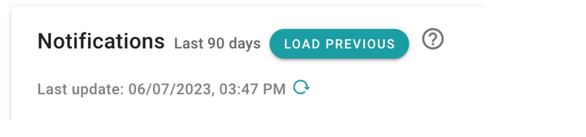
By default, notifications from the last 90 days are loaded. You can load previous notifications using the button specified in this way.
On the right side of the notifications, icons appear to show the content of the notification and its attachments. Selecting the notification will access its details.

You can also see that the list has a bar that shows how many notifications have been used and the maximum allowed by our current plan.
As for the buttons located to the right of the search engine, the first one allows you to export notifications to a .csv file and the second one allows you to add a notification manually.
To update notifications, there is a button at the top left of the notification list table.
Newsletter susbcribe
Receive all the news and updates about GoodOK in your email.