
Export companies
When you click on the export icon of a company  , the export options for that company are displayed:
CSV File: A CSV data file will be generated, including the details of the notifications received for this company in the last 90 days, as well as the attributes associated with each notification.
ZIP File: A compressed ZIP file will be generated, which will be sent by email and will include all the notifications received for this company along with all related documents (main document, acknowledgement, annexes, and additional documents if any). In this case, the complete history will be downloaded, not just the last 90 days.
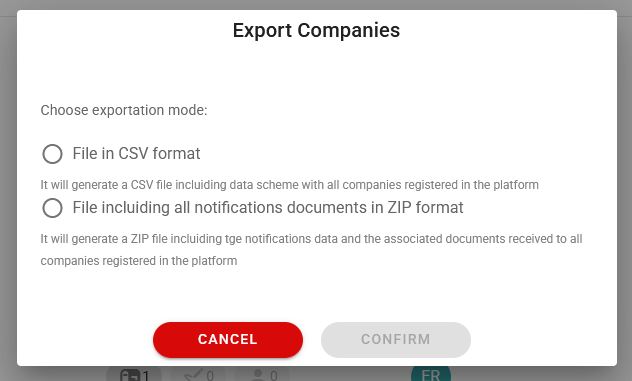
Also, it is possible to download information globally for all companies  . To do this, you can click on the export button located at the top of the table next to the header:

The information export options are displayed:
CSV File: A CSV data file will be generated, which includes the complete list of registered companies in the platform, along with their attributes and the services that each company has contracted.
ZIP file: A ZIP compressed file will be generated, which will be sent by email, which includes the notifications received with all the related documents (main document, acknowledgment, annexes and additional documents if any) from all the companies on the list.