
Service Models
How to know if I am an Administrator or User
To know if your GoodOk account is a User or Administrator, you just have to look at the options available in your menu.
- In the main menu, select the Management option.
-
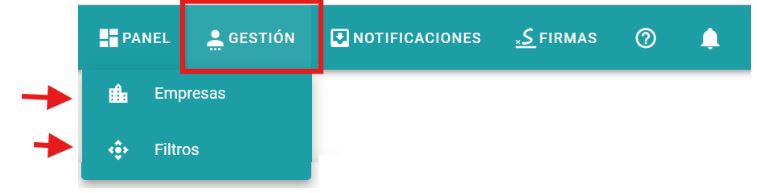
- If you only see the Companies and Filters options, you have a User profile.
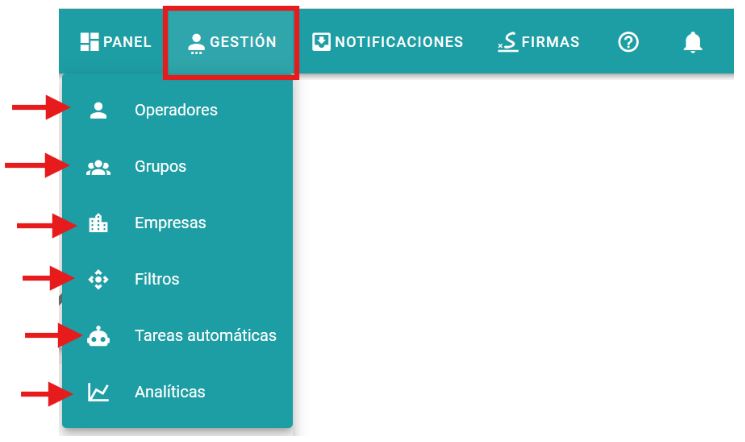
- If you see the Operations, Groups, Companies, Filters, Automatic Tasks and Analytical options, you have an Administrator profile.
How to know if my service model is Advisory or Company
To know if your GoodOk subscription model is for Companies or Advisory, you just have to look at the Add Company Batch option (an action that can only be performed by accounts with a subscription to the Office model).
In the main menu, select the Management option and then Companies. If you see three buttons, the button corresponds to “Add Company Batch”: you have the Advisory Model.

If you see two buttons, the “Add Company Batch” button does not appear: you have the Companies Model.

Newsletter susbcribe
Receive all the news and updates about GoodOK in your email.