
Absence Management
GoodOk allows you to configure absence periods for an operator (due to vacation, sick leave, or any other circumstance) and assign another operator as a substitute for that period.
Absence management is done using the calendar button to the right of the name:
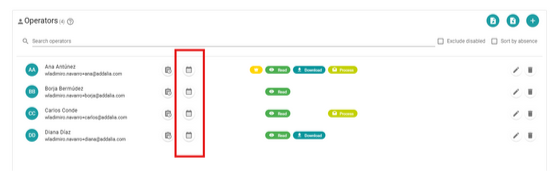
Clicking on an operator’s button opens a window to manage that operator’s absences, allowing you to create a new absence, cancel a scheduled absence, and review the absence history.
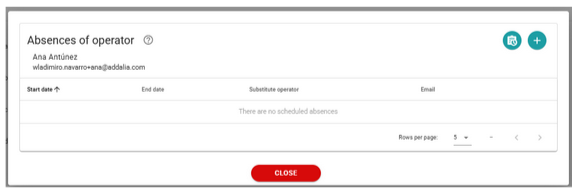
To create a new absence, click on the + button and a form will open.
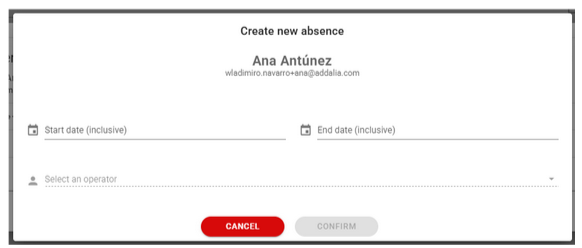
We enter the start date of the absence period. It can be set from the current day, starting the substitution period immediately, or a later date.
Similarly, the end date of the substitution is indicated. The specified day is included in the absence period. To schedule a one-day absence, the start and end dates are the same. The maximum absence period is limited to 6 months.
Once the dates are selected, the option to choose the substitute operator is enabled. During the substitution period, this operator will receive copies of all emails the system sends to the replaced operator and will be able to access and manage the replaced operator’s notifications.
GoodOk checks which operators are available within the date range to act as substitutes and which are not, for example, if they have a scheduled absence, preventing them from being selected.
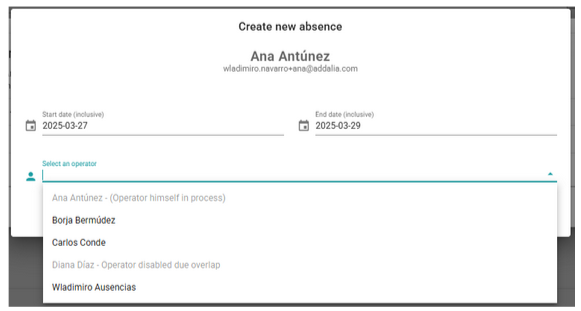
Once the substitute operator has been selected, we can confirm the scheduled absence to have it recorded.
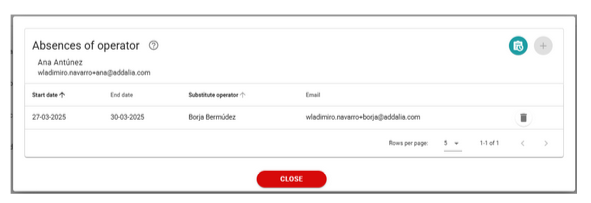
GoodOk sends an email to both the operator being replaced and the substitute operator, informing them that an absence has been scheduled.
When the scheduled absence starts, GoodOk notifies both operators via email that the absence period has begun. Similarly, when the absence period ends, an email is sent to inform both parties.
A scheduled or ongoing absence can be canceled by clicking on the trash bin button.
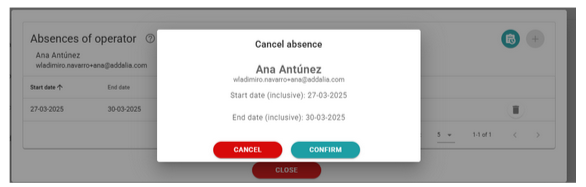
The absence is removed, and both operators are notified of the cancellation.
Absence History
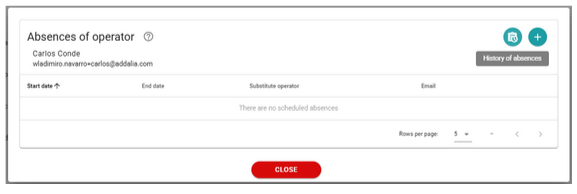
By clicking on the absence history button, you can view all scheduled, canceled, started, and completed absences, along with the action’s author, dates, and substitute.
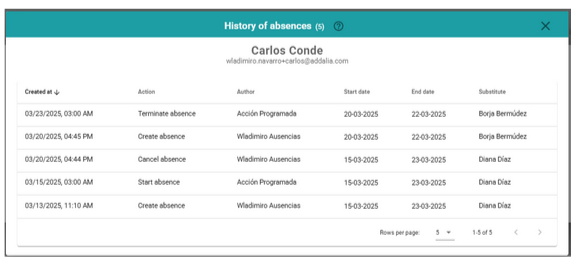
Absence Tracking
The absence management buttons change color to indicate an operator’s status.
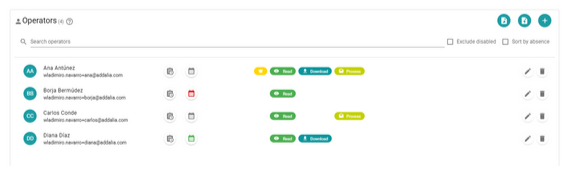
If the button is gray, it means the operator has no active substitution.
If the button is green, the operator has a scheduled substitution for a future date.
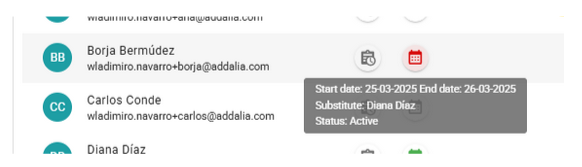
If the button is red, the operator is currently absent and has been replaced by another operator.
Hovering over the button displays absence details without needing to click on it.
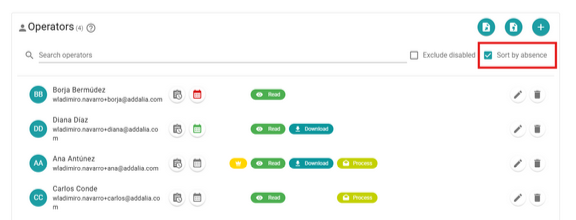
Operators can be sorted based on their absence status: first, those who are currently absent, followed by those with a scheduled future absence, and finally, those without any scheduled absence.
Newsletter susbcribe
Receive all the news and updates about GoodOK in your email.