
Create group
To create a group we must navigate to the groups tab and press the create button which is highlighted in the screenshot.
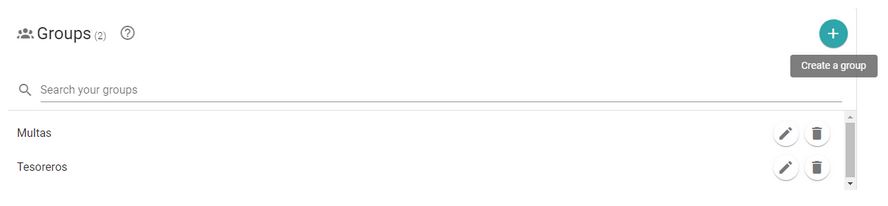
Once pressed, a menu will show up where users can configure our group. Groups have 4 elements:
- Name: Name that will identify the group.
- Companies: Companies that the members of the group will only be able to handle.
- Filters: Filters that the group will have. These filters will be the only ones available for the members inside the group.
- Operators: Members of the group. The operators that are added inside here will be able to see only the companies and filters assigned to the group.
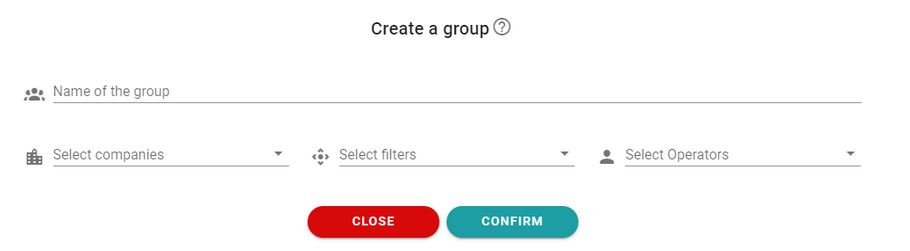
To create the group press confirm and the group will be created. At that moment the all the operators in the group will be updated and they will only have the filters and the companies selected.
Newsletter susbcribe
Receive all the news and updates about GoodOK in your email.