
History
Automated tasks are executed over different objects over time. Through the task list, we can check the history to see the execution date, the object on which it was executed, as well as other relevant data about the task itself.
To access the history, we can click on the highlighted button.
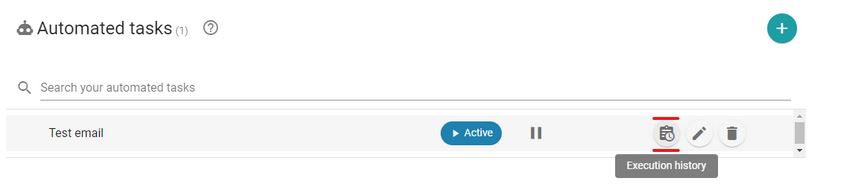
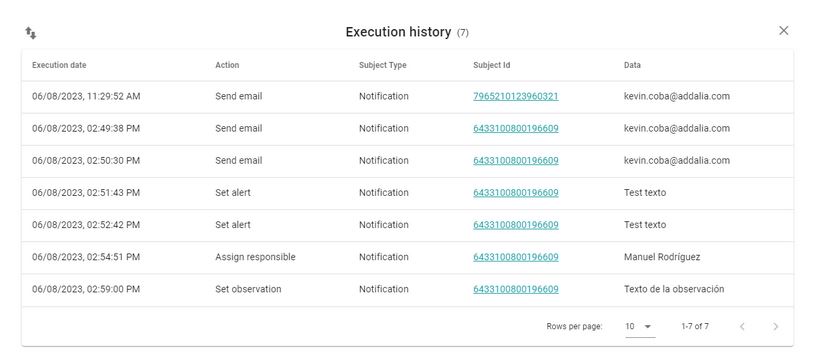
Once clicked, the task execution history will be displayed. Since tasks can be edited and perform different actions over time, the executed action is shown in the history.
Additionally, in the history, you can navigate to the object by clicking on the subject’s identifier.
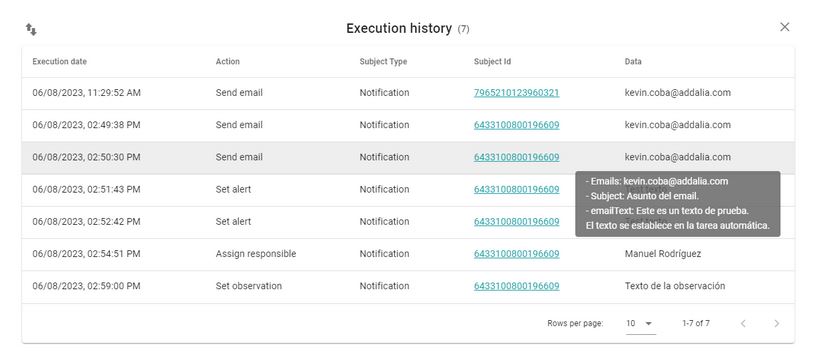
Furthermore, additional data about the objective can be viewed by hovering over the “sData”s column.
Newsletter susbcribe
Receive all the news and updates about GoodOK in your email.