
Show Operators by Notification
This functionality is only available for users with administrator permissions.
In the Notification List, there is an option to show the operators who can see each notification:
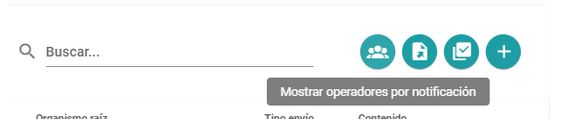
When you press the button, it changes color, the legend “Operators by notification” is added and a column with the title “Oper” is added to the list.
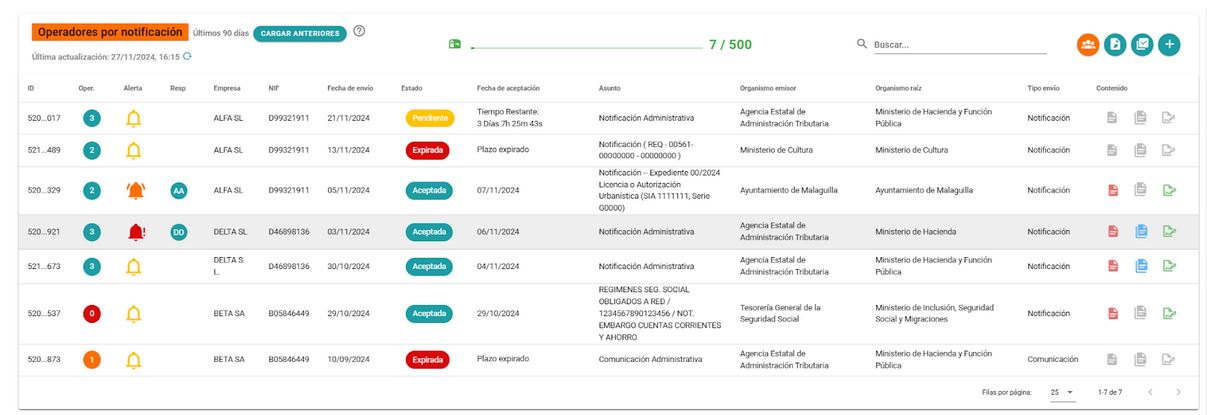
The Oper column reflects the number of operators who can see the notification. The platform administrator is not considered in this list since he can always see all notifications.
The column can be sorted to appear in increasing or decreasing order.
With a color code it is highlighted when there are no operators who can see the notification (red), only 1 operator can see it (orange), or it is visible to more than 1 operator.
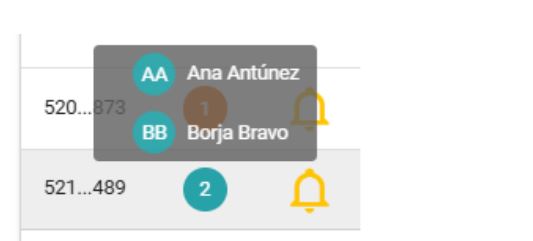
Hovering your mouse over any of the circles displays the names and avatars of the operators who can view the notification.
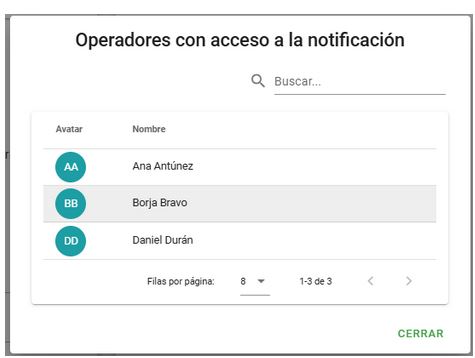
On the Notification Detail screen there is also the same option:

When you press the option, it shows the list of operators with a search engine to be able to find the desired operator by name.
Newsletter susbcribe
Receive all the news and updates about GoodOK in your email.