
Manual GoodOK Notifica
  • Home
  • Dashboard
    • Notifications
    • Assignments
    • Alerts
  • Notifications
    • Notification List
      • Advanced notification search
      • Show Operators by Notification
      • Add Notification
      • Batch Actions
      • Notifications without the holder’s NIF
      • Substitution mode
    • Notifications operation
      • Open Notification
      • Notification Details
      • Change Status
      • Notification Responsible
      • Share Notification
      • Attach Files
      • Create Alert
      • Modify Alert
      • Additional Documents
      • Add Observations
  • Management
    • Operators
      • Create Operator
      • Add Operators Batch
      • Update Operators
      • Disable/Enable Operators
      • Administrator Permissions
      • Absence Management
    • Companies
      • Create Company
      • Add Company Batch
      • Update Company
      • Delete Company
      • Authorised Operators
      • Export Companies
    • Groups
      • Create Group
      • Update Group
      • Delete Group
      • Non visible notifications
    • Automatic Tasks
      • Actions
      • Conditions
      • Target
      • Creation Task
      • Clone Task
      • Update Task
      • Delete Task
      • History
      • Examples
    • Analytics
  • Configuration
    • GoodOK Configuration
    • Profile Configuration
    • Modify Email Options
    • Certificate Upload
    • Suscription
    • Service Models
  • Major Recipient
  • English
    • English
    • Español
Select Page

Authorized operators

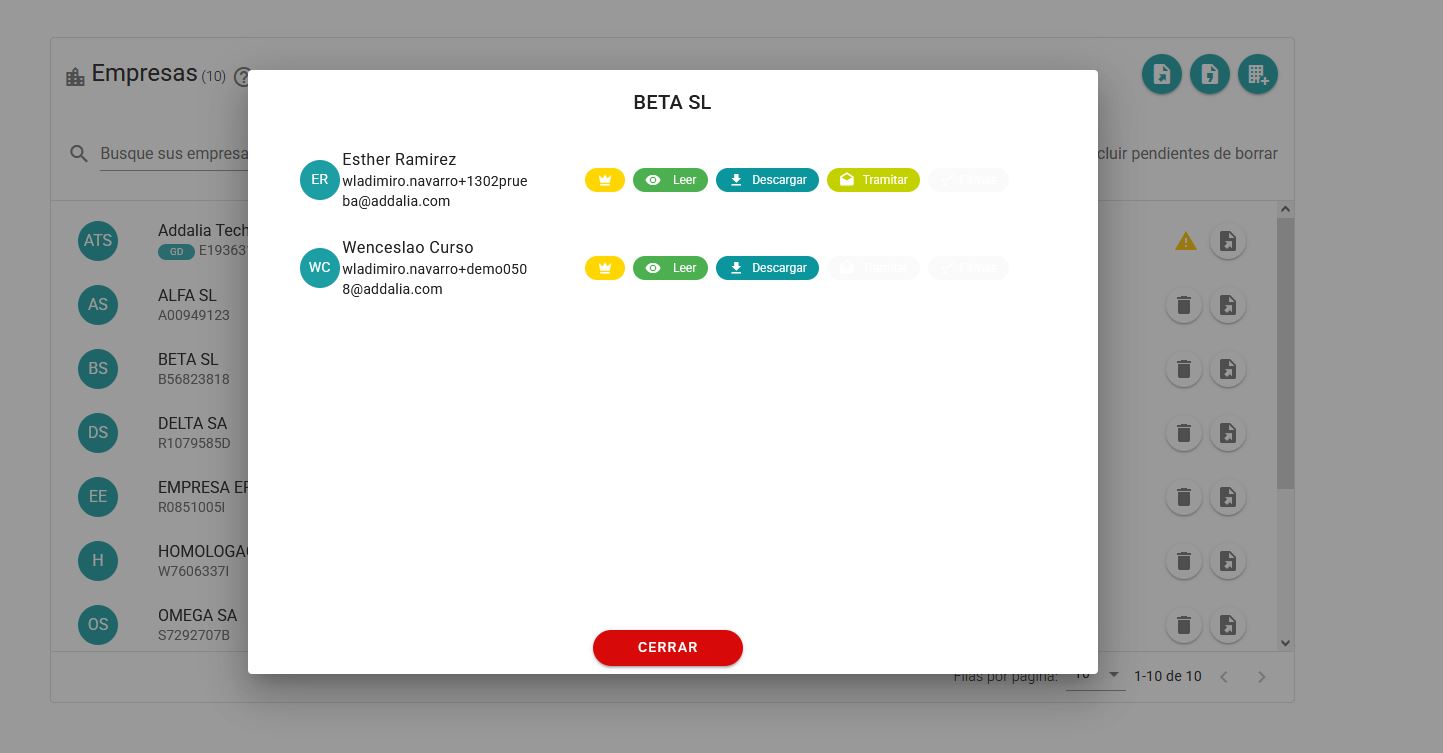
By pressing the icon of a company operator shows the authorized operators to see the notifications and their permissions.
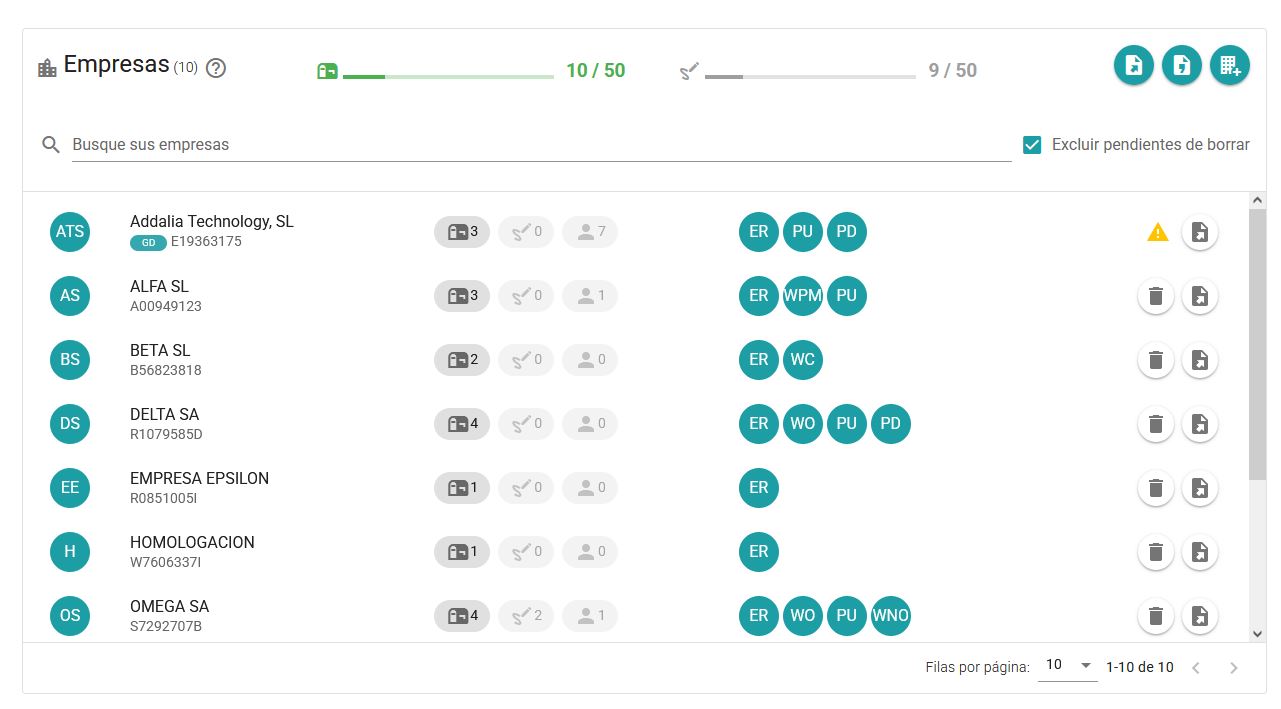
In this menu a list with the operators authorized to work with the company will be displayed. The permissions of each operator will be displayed as well.


Companies



Create Company



Add Company Batch



Update Company



Delete Company



Authorised Operators



Export Companies