
Clone Task
Through the automated tasks menu, we can clone tasks by clicking the clone button:
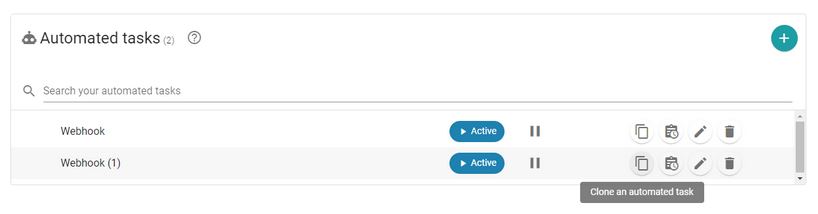
Once the button is clicked, a new task will be created with the same actions, conditions, and goals. The only difference will be the name, which will have a number appended to distinguish the copies.
These tasks can be modified and deleted in the same way as a manually created task.
Newsletter susbcribe
Receive all the news and updates about GoodOK in your email.