
Certificate Upload
IMPORTANT NOTE: The certificates uploaded to GoodOk are stored in a secure vault that is not accessible to any user and, therefore, cannot be downloaded or used for any purpose other than downloading and opening DEHU notifications through GoodOk. At no time is any component or element installed on users’ devices, ensuring that the certificates cannot be misused.
When logging into the application, a message is displayed prompting the upload of a required certificate if a main certificate has not been uploaded previously.

You can upload it in the ‘Settings’ section and then on the right side of the menu.
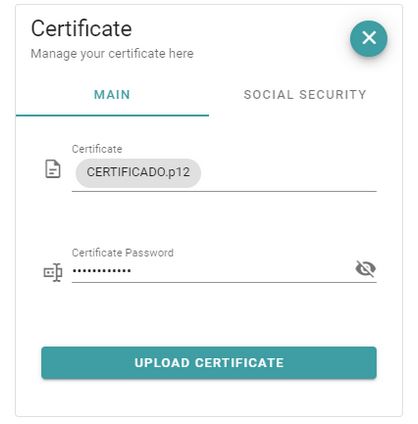
Once the certificate is uploaded, a green message will appear with the certificate name, indicating that an active certificate already exists, along with its expiration date.
IMPORTANT NOTE: The certificates uploaded to GoodOK to receive DEHU notifications must be registered on the DEHU website as a Major Recipient in order to be accepted for downloading existing notifications from DEHU. The Major Recipient section explains how to complete the process and includes a detailed guide.
When the certificate is close to expiring, the color will change to orange or red, and a pop-up window will appear with a warning.
This certificate can be replaced by a new one by clicking the edit button in the top right corner.
IMPORTANT NOTE: When a certificate is renewed and uploaded to GoodOK, it is necessary to reauthorize this certificate as a Major Recipient on the DEHU website, as DEHU considers this certificate, for all purposes, to be a different one from the replaced certificate. The Major Recipient section explains how to complete the process and includes a detailed guide.
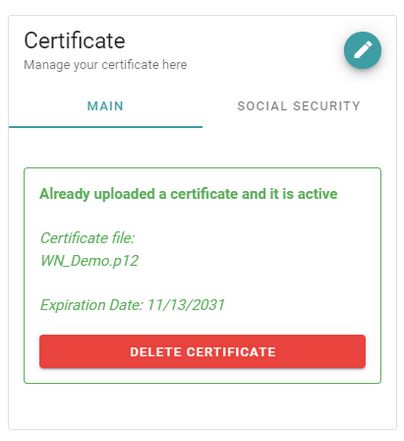
If you are an Administrator Advisory User with permissions to upload certificates, you will also have the ability to upload certificates for Authorized Social Security Network Representatives to receive notifications from clients who have granted power of attorney to one of the Authorized Representatives.
For each Authorized Network Representative to upload their certificate, they must be registered as an Operator on the platform, granted Administrator permissions, and assigned the role of “Upload Certificates”.
IMPORTANT NOTE: The certificates of the Authorized Social Security Network Representatives must also be registered on the DEHU website as a Major Recipient to be accepted for downloading existing notifications from DEHU.
The Major Recipient section explains how to complete the process and includes a detailed guide.
IMPORTANT NOTE: The certificates of the Authorized Social Security Network Representatives uploaded to GoodOK are only used to obtain notifications from clients who have granted power of attorney to the Authorized Representative. Notifications belonging to the user’s own account are not downloaded to prevent them from appearing in the list of notifications managed by GoodOK.
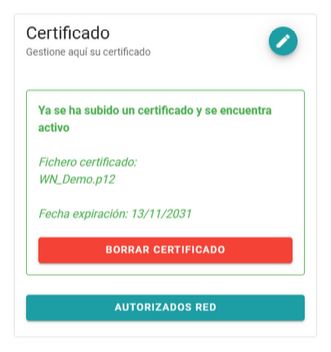
By clicking on the AUTHORIZED REPRESENTATIVES button, a dialog box opens to add certificates.
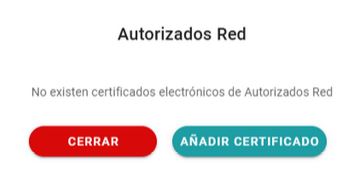
By clicking ADD CERTIFICATE, a dialog box opens to enter the name of the Authorized Representative and upload their certificate and password.
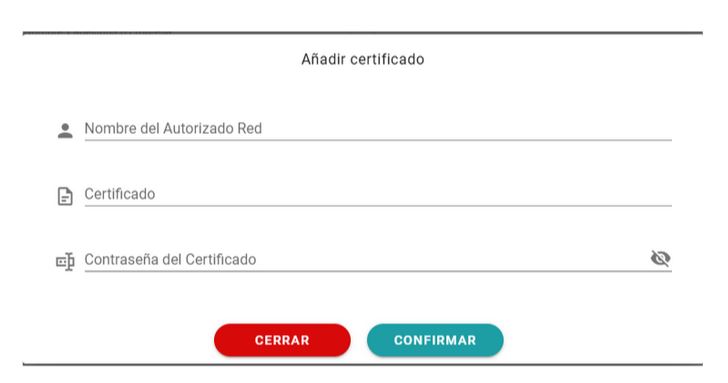
Users and their added certificates can be edited at any time. You can also add as many Authorized Representatives as needed.
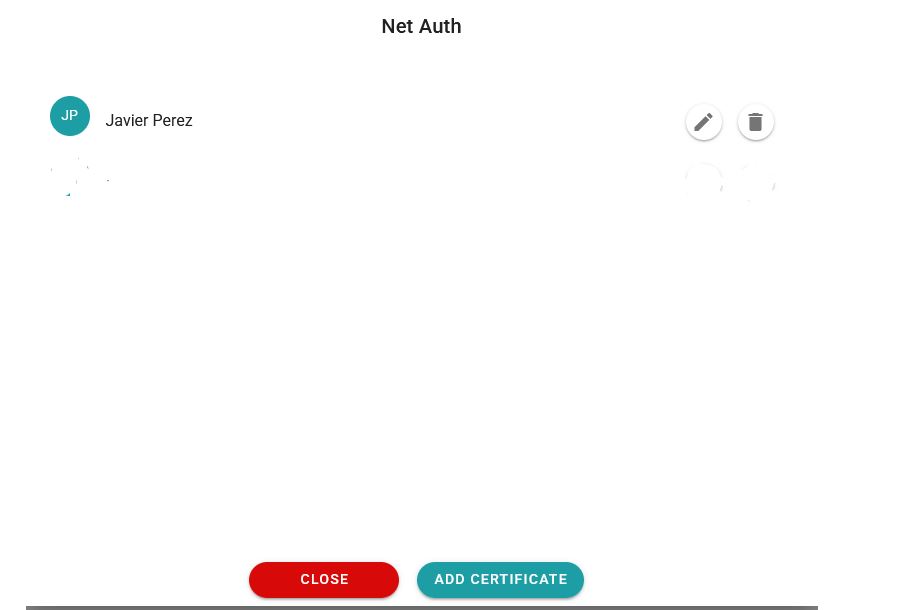
Users who are no longer needed can be deleted. Additionally, a new certificate can be uploaded for any user to replace the existing one, for example, if the certificate has expired and needs to be updated with a new one.
IMPORTANT NOTE: When a certificate is renewed and uploaded to GoodOK, it is necessary to reauthorize this certificate as a Major Recipient on the DEHU website, as DEHU considers this certificate to be, for all intents and purposes, a different certificate from the one it replaced. The Major Recipient section explains how to complete this process and includes a detailed guide.
Newsletter susbcribe
Receive all the news and updates about GoodOK in your email.