
Notifications without the holder’s NIF
Sometimes, notifications are received without the holder’s NIF field, and therefore, they cannot be correctly classified. Although the holder’s name may be included, it is not always the same, as each organization sets this field at its discretion. The field that allows the notification to be classified unambiguously is the holder’s NIF.
When a notification arrives without the holder’s NIF, GoodOk sends an email to users with administrative permissions to manage administrators.
When there are notifications without the holder’s NIF, users with administrative permissions to manage administrators will see a pop-up window displaying the notifications without the holder’s NIF when they log into GoodOk.

It also displays this window when accessing the NOTIFICATIONS tab or the PANEL tab.
From this pop-up window, users can access the details of the notifications without the holder’s NIF to correct them.
In the list of notifications, those without the holder’s NIF are marked with a red background label. Additionally, next to the column name, an alert is shown with the number of notifications without the holder’s NIF in parentheses.
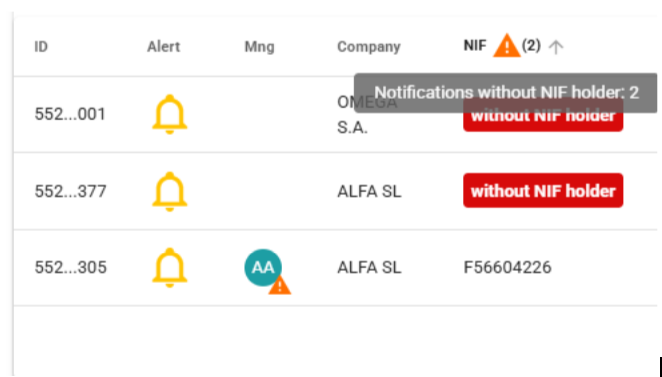
If the notifications are sorted by the NIF column, the first ones will appear, making them easy to identify.
When viewing the details of a notification that doesn’t have a NIF Holder, there is the option to edit the field to associate the notification with one of the registered companies.
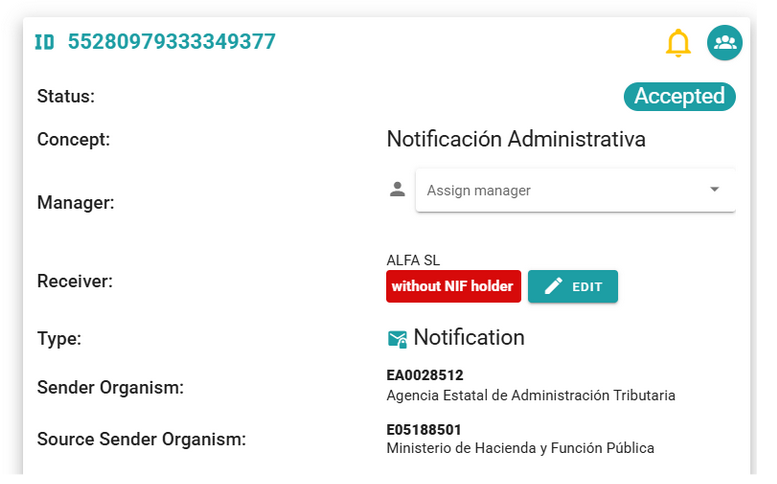
By clicking the EDIT button, a box opens allowing you to choose the company to which the notification belongs.
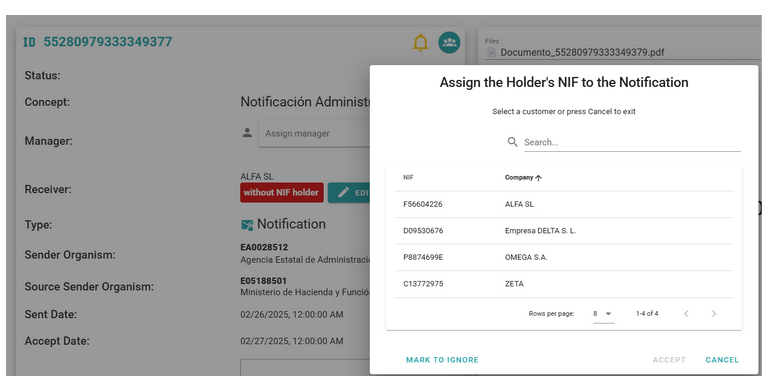
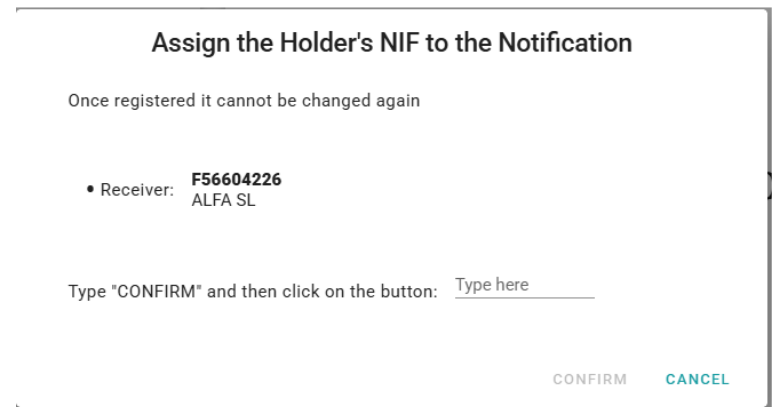
When a company is selected and ACCEPT is clicked, it asks you to type the word CONFIRM to ensure that the notification is not assigned to a company by accident, as the action cannot be undone.
Once the notification is assigned to a company, it is recorded in the notification history for traceability of that action.
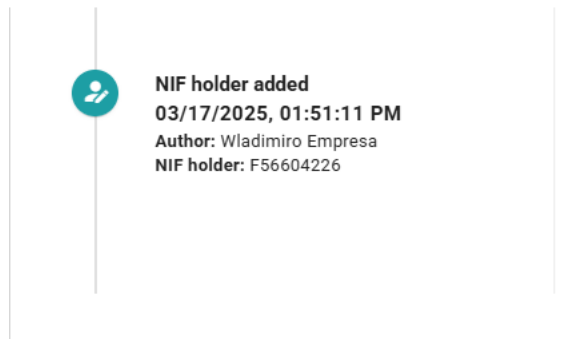
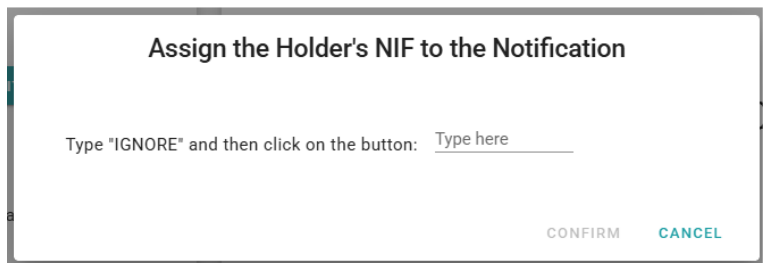
If we don’t want to assign the notification to any company and also don’t want it to continue appearing as a company without a NIF Holder, we can select MARK AS IGNORE.
It will ask us to type the word IGNORE to confirm the action.
The notification will be marked to ignore the NIF Holder, and the event will be recorded in the notification history.
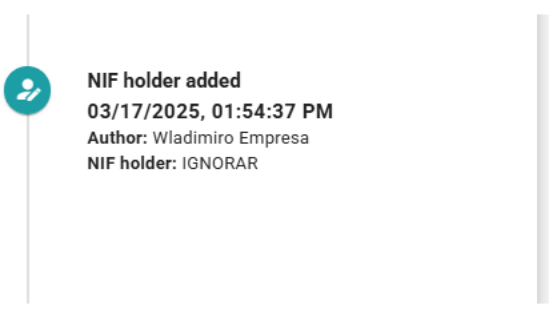
In the notification list, those with the value IGNORE will be displayed in the NIF field, and they can be searched by that term in the search bar.

The notifications with the “NIF Titular” field marked as IGNORE can be edited at any time to assign them to a company.
Newsletter susbcribe
Receive all the news and updates about GoodOK in your email.